Compatible with Chrome and Edge
Instruction Guide
We have a simple tutorial guide which explains the features of the software extension and what each button inside the extension does. Read our tutorial and welcome guide on how to use the extension to the fullest. Use all the features of this browser software.
If you are interested in other web extensions to install, you might wish to check out the Microsoft Bing Search with Rewards extension.
Microsoft Bing Search with Rewards Extension
It allows you to complete daily offers to get points.
Track the number of points you have currently and the rewards you can redeem with these points.
The ways to get points & get rewarded is search with Bing, browse with Microsoft Edge and shop at the Microsoft and Windows stores to earn rewards.
Sponsored Link:
Other useful extensions
Another extension which would be useful to install is the iCloud bookmarks extension.
It allows to keep your Chrome bookmarks on Windows synced up with the Safari bookmarks on your iPhone, iPad, and Mac.
iCloud will store your website bookmarks so it is accessible even on your iPhone and Mac.
Try these other two extensions and see if it will boost your daily productivity.
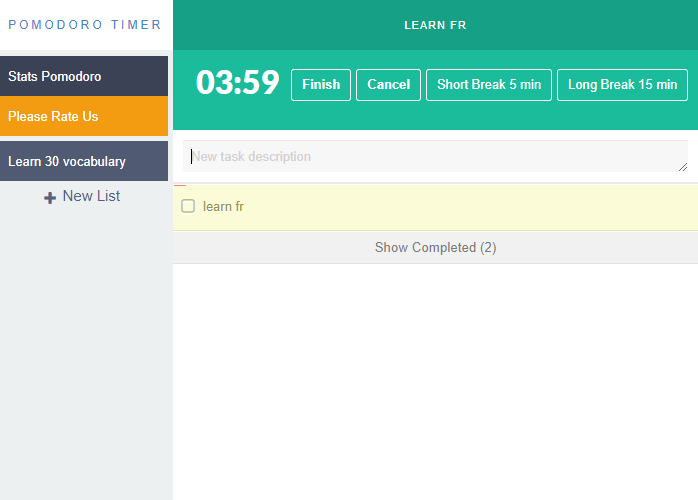
A simple extension Pomodoro timer with to-do lists, focusing on work.
Features:
After installing the extension. You click on the icon and can start getting focused on work/school projects.
What is Pomodoro?
The Pomodoro Technique® is a simple productivity method that helps you get the most out of your time. It is a technique that uses the simple concept of time to improve the way you work. The Pomodoro Technique® was developed by Francesco Cirillo in the late 1980s and since then has been refined into what it is today, with many people using it for personal and professional purposes.
How does it work? Like any other productivity method, the Pomodoro Technique® requires some preparation before starting to work on a given task or project. You need to decide how long you want your first pomodoro to be (typically 25 minutes), set up your timer and start working. Once the time is up, take a break for at least five minutes – but only if you’re done with all of your tasks! If there’s more work left to do, set up another pomodoro and continue working until everything is done.
Benefits of The Pomodoro Technique include:
Greater productivity. It's easier to focus if you know there's a break coming up soon.
Less stress. When we're constantly switching between tasks, it can feel stressful and overwhelming because we haven't finished anything before we move on to something else.
More focus and better quality work in less time. Breaks help us recharge so that we can be more productive when we get back to work!
Tutorial:
- Install the Extension
-
After installing the extension, click on the icon
 on the toolbar.
Sponsored Link: